
Last updated: 10 August 2026
TL;DR: If your company grants people shares or share options as part of their compensation, that counts as a cost, even though no cash leaves your bank account. According to ‘Accounting Standards’ the value of the shares-based compensation requires determining the fair value and applying an options-pricing model, such as Black-Scholes. Other pricing models are available, but Black-Scholes is one of the most commonly used methods to value stock-based compensation and it has become widely accepted because it’s relatively simple to use, well understood in the financial community, and easy to recalculate in a mathematical formula. The model needs figures from you: your share price, the exercise price, the vesting terms and an estimate of volatility. It is a technical exercise, and your accountant is best placed to carry it out as part of your annual accounts.
Granting share options gives your team a genuine stake in what they are building, without spending cash you would rather put into the business. It also creates a reporting obligation, and that obligation tends to surface at year end, when your accountant asks about share-based payment and a figure appears in your accounts for something you never paid for in cash.
This guide explains what that figure represents, where it comes from, and what your accountant will need from you to produce it.
Contents 📋
• How the expense is calculated
• Setting the forfeiture assumption
• What your accountant will need
• How to generate an IFRS 2 report on Vestd
A few terms you'll see
These come up throughout the guide, so we've explained them once here:
Cash-settled award: an award satisfied in cash, with the amount linked to your share price.
Dividend yield: the annual dividend you expect to pay over the life of an option, expressed as a percentage of your share price. If you do not pay a dividend, this input is 0%.
Equity-settled award: an award satisfied by issuing shares.
Fair value per share: the value of an award on the day it is granted, produced by a valuation model.
Forfeiture: an award that never vests, usually because the recipient leaves before the end of the vesting period.
Grant date: the date when the company and participant have a shared understanding of the terms and conditions. If a board approval is required, the grant date awaits until the board agrees.
Intrinsic value: the share price less the exercise price, with no allowance for the time an option still has to run.
Market condition: a vesting condition based on your share price or shareholder return.
Non-market condition: a vesting condition based on business performance or continued service.
Peer company: a comparable listed company used to estimate volatility.
Recipient: the person receiving the award.
Risk-free rate: the return available on an investment carrying no default risk, used as a benchmark in the valuation model.
Service period: the period over which someone provides services to earn an award.
Total fair value: the value of the whole award at grant date.
Vesting period: the period before an award becomes exercisable.
Volatility: how much your share price is expected to move over the expected life of the option, expressed as a percentage.
What IFRS 2 covers
IFRS 2 is the accounting standard for share-based payment. It applies to any arrangement where your company pays for goods or services using shares, share options, or an amount linked to your share price.
In practice, it covers:
• share options granted to your team, including EMI and CSOP
• direct share awards and growth shares
• discounted employee share purchase arrangements
• shares issued to advisers, contractors or suppliers in place of a cash fee
The principle behind it is that you have to account for the goods or services provided and this should be reflected in your income statement.
If you had settled the bill in cash, nobody would query the expense. Equity is a different way of settling the same bill, you are just being asked to record it a different way.
Two features of the treatment tend to catch people out.
The expense does not touch your cash flow. Your profit and loss account takes the charge, your bank balance stays where it is, and the matching entry sits in equity rather than reducing your assets.
The expense is not usually reversed if the shares later lose value. For time-based awards the fair value is fixed on the day of grant. If your share price falls afterwards and the options end up worthless, the recipient has had a poor outcome, but your company still transferred something of value on the day it granted them. That is what your accounts are recording.
How the expense is calculated
For a standard equity-settled award, such as employee share options, there are four steps.
1. Value the award at grant date. Calculate the fair value of the equity-based award as of the grant date. For time-based options, the Black-Scholes pricing model is generally used, that means a valuation model, covered in Valuing an option. See our guide on valuations
2. Estimate how many awards will actually vest. Not every option granted ends up vesting, because people leave before the vesting date. You set the estimate at grant date and refine it as actual leaver numbers come through, so the cumulative expense only ever reflects the awards that genuinely vest.
3. Spread the cost across the vesting period. The total value is recognised over the period someone has to provide services serve to earn the award from grant date to final vest date. If an award has multiple tranches (e.g. 25% vesting each year over a four year period), each tranche will be expensed concurrently from grant date to vest date. In this case after one year the first tranche will be fully expensed, the second tranche will be 50% expensed, the third tranche will be 33.33% expensed, and the fourth tranche will be 25% expensed.
|
Tranche |
Vests |
Expensed by end of year one |
|
First |
Year 1 |
100% |
|
Second |
Year 2 |
50% |
|
Third |
Year 3 |
33.3% |
|
Fourth |
Year 4 |
25% |
The charge is therefore highest in the first year and falls each year after, rather than sitting flat across the four.
4. Leave the grant-date fair value alone. Once set, the fair value per option is fixed. Later movements in your share price do not change it. The exception is a change to the terms of the original option, which counts as a modification and is handled separately.
Important: Cash-settled awards work differently. Where the payment is a cash amount linked to your share price rather than actual shares, the award is treated as a liability and revalued at every reporting date until it is settled.
Valuing an option
An option can be worth something even when exercising it today would produce no gain. The share price may rise before the option expires, and that possibility carries a value of its own. Establishing how much requires a model.
Black-Scholes is the model most commonly used. It takes the following inputs and returns a value per option.
|
Input |
What it means |
Effect on option fair value |
|
Share price at grant |
The market value of one share on the grant date |
Higher price, higher value |
|
Exercise price |
What the holder will pay to acquire the share |
Lower price, higher value |
|
Time to expiry |
How long the holder has to exercise |
Longer period, higher value |
|
Volatility |
How much the share price is expected to move over specific term (over the option's expected term) |
Higher volatility, higher value |
|
Risk-free rate |
The return available on risk-free investments |
Higher rate, higher value |
|
Expected dividends |
Dividends expected before exercise |
Higher dividends, lower value |
Volatility is the input that surprises people. Higher volatility increases what an option is worth, because the holder enjoys the upside potential of large price swings while their downside is limited. If the share price falls, they can decline to exercise and walk away having lost nothing, and there is no equivalent ceiling on the gains. A share price that moves significantly therefore produces a more valuable option than one that remains stable.
Choosing a valuation model
There are two ways of putting a number on an option, and they answer slightly different questions.
Black-Scholes values the option in full. It accounts for the possibility that the share price moves in the holder's favour before the option expires, and prices that possibility. It is simple to calculate, widely accepted, and standard practice for basic employee awards, which makes it the approach auditors expect to see for share-based payment.
Intrinsic value is the simpler measure: the share price minus the exercise price, floored at zero. An option to buy a share worth £1.50 for £1.00 has an intrinsic value of 50p. An option granted with an exercise price equal to the current share price has an intrinsic value of nil, even though the holder clearly has something of value.
|
|
Black-Scholes |
Intrinsic value |
|
What it captures |
The full value of the option, including the time it has left to run |
The gain available if exercised today |
|
Value at grant for an at-the-money option |
A positive figure |
Nil |
|
When the value is set |
Fixed at grant date |
Remeasured at each reporting date until settlement |
|
Typical use |
The default for share-based payment reporting |
Rare, and only where fair value cannot be estimated reliably |
The final row is the important one. Intrinsic value appears to be the easier route, but IFRS 2 permits it only in the exceptional case where fair value cannot be measured reliably, and it requires you to revalue the award at every reporting date through to settlement. Your expense then moves with your share price, rather than being settled once at grant.
On Vestd, UK companies can select only Black-Scholes, which reflects what FRS 102 and IFRS 2 reporting expects. Non-UK companies can select either, and we would recommend agreeing the choice with your auditor before you generate a report.
Estimating volatility
Listed companies can measure volatility from their own share price history. Unlisted companies cannot use their own volatility for lack of daily movements and trading of the stock price, because their shares do not trade daily and there is no price record to measure. Volatility is estimated instead using comparable listed companies, often called peer or proxy companies.
The approach is as follows:
• Recommended to select four to five peer companies as a working benchmark.
• There is no maximum. Around ten is usually sufficient, and auditors do not typically object to a larger sample.
• Where you genuinely cannot identify suitable peers, 100% volatility may be applied as a fallback, subject to your auditor agreeing.
• Select peers that resemble your company in sector, stage and risk profile. The peer companies selected should also have sufficient trading history, or at least 50% of trading history as a public company over the option’s expected term.Ten loosely similar companies will not necessarily produce a better estimate than four close ones.
Important: Your auditor's view is the one that counts here. Agree your approach with them before you finalise your figures, rather than afterwards.
Setting the risk-free rate
The risk-free rate is the return available over the option's expected term on an investment where repayment is effectively certain. It gives the model a benchmark for the time value of money.
It affects the option value because the holder does not pay the exercise price until they exercise. Deferring that payment is worth more when interest rates are high, so a higher risk-free rate produces a higher option value.
Two things need to align:
• The currency. Use the rate for the currency your exercise price is set in, which for most UK companies means sterling.
• The term. Use a rate with a remaining term close to the expected life of the option, rather than an overnight or long-dated rate.
Using the government bond rate
Government borrowing is the conventional proxy for a risk-free investment, on the basis that a government issuing debt in its own currency carries minimal default risk. In practice, that means gilts in the UK, Treasuries in the US and government securities in India.
Selecting Use government bond rate in Vestd applies the published rate for the country you choose, so you do not need to source it yourself. Select the country that matches the currency of your exercise price.
Choose Enter manually if your currency is not one of the three offered, or if your auditor has asked you to use a particular source or point on the yield curve. If you enter your own figure, record where it came from and the date you took it, as you will need this for your disclosures.
Setting the dividend yield
Dividend yield is the annual dividend you expect to pay over the life of the option, expressed as a percentage of your share price.
It reduces the value of an option. Someone holding an option does not receive dividends on the underlying shares, so any amount you distribute to shareholders in the meantime is value the option holder does not receive. The more you are expected to distribute, the less the option is worth.
Most private companies reinvest rather than distribute, so a yield of nil is common and entirely defensible where you have never paid a dividend and have no plans to. Some accountants prefer to see this stated explicitly rather than left as a default.
Calculate automatically derives the figure from the dividend information held on your Vestd account. Enter manually is available where your own expectation differs, for example if you have a stated dividend policy or a planned distribution that your history would not reflect.
Base the figure on what you expect over the life of the option, rather than what you happened to pay last year. A one-off distribution in a single year does not represent a recurring yield.
Setting the forfeiture assumption
A forfeiture occurs when is an award or a portion of an award that never vests, almost always because the option holder recipient leaves before the end of the vesting period. It is distinct from an option that fully vests and is subsequently never exercised, which is a lapse or expiration of the shares and in this case, the expense cannot be reversed.
The forfeiture assumption is not an input to Black-Scholes and does not change what an option is worth. It sits next to the model inputs on the report because it applies to the expense rather than the valuation: it is your estimate of how many awards will never vest, and it scales the charge down to the number you expect will.
Because the expense should reflect the awards you expect to vest, you either estimate forfeitures at the outset or start from the assumption that nobody leaves.
IFRS guidance also requires that a company applies the forfeiture rate to participants with similar characteristics such as same job level, country, age group, award type, geographical location, etc. This could mean that executives vs management, or participants in certain countries have a higher or lower forfeiture rate than others.
The forfeiture rate applied to the expense calculation is only a temporary deduction and continuously true-up so that if ultimately there are no actual forfeitures, the total cumulative expense equals the award’s total calculated expense at the time of grant. This is because the number of shares granted equals the number of shares vested.
No forfeiture assumption treats every award as though it will vest in full. It is the more straightforward choice, and a reasonable one if your team is small or you do not have enough history to estimate turnover with confidence. The trade-off is that your early-period expense will be higher than it eventually proves to be.
Enter manually applies a rate your management has set on a consistent and reasonable basis, usually drawn from your actual leaver history. Strip out one-offs that will not repeat, such as a round of redundancies, or they will distort the figure. It produces a smoother expense, but the rate needs supporting evidence and should be revisited as actual leaver data comes through.
In either case, the expense reaches the same point. What the assumption changes is the timing. A forfeiture estimate spreads the correction out, whereas assuming no forfeitures means recognising more in the early periods and adjusting downwards when someone leaves.
The expense is corrected to reflect what actually happens and if an actual forfeiture occurs, any previously accrued expense for unvested shares is reversed. If no actual forfeitures occur , so over the full life of an award the cumulative charge will equal the per share fair value times the total vested shares.
Important: This is an estimate rather than a policy you set once. Revisit it at each reporting date and update it as your leaver numbers come through.
Vesting and service periods
These two terms describe the same stretch of time from different angles, and you will see them used interchangeably.
Vesting period is the time that must pass before an award becomes exercisable.
Service period is the time over which someone provides services in order to earn that award.
For an ordinary employee option they cover the same stretch, and the expense is accrued over the service period from grant date to vest date. Recognition follows the work being done, so nothing further is recognised after the final vest date.
Performance conditions
Many awards vest only if a condition is met. IFRS 2 divides these into two types, and the distinction affects the accounting as well as the wording.
Market conditions depend on your share price or shareholder return. Growth shares are the common example.
Non-market conditions depend on the business or the individual, such as revenue targets, a funding round or continued employment.
The difference becomes apparent when a condition is missed.
|
|
Reflected in the valuation |
If the condition is missed |
|
Market condition |
Built into the grant-date fair value |
Expense is not reversed |
|
Non-market condition |
Estimated separately, revised over time |
Expense is reversed |
A market condition is priced into the model at the outset, so the cost stands whether or not the target is met. A non-market condition is a judgement about how many awards will vest, and you revisit that judgement each period.
Please note: Vestd does not currently support performance-based options for IFRS 2 reports.
What your accountant will need
If you have an in-house account, you can give your accountant access to your Vestd account by setting them up as an admin user so they can take these figures directly, rather than you assembling them by hand. They will typically need:
• grant dates and the type of each award
• the number of options or shares granted
• exercise prices
• vesting schedules, including any performance or milestone conditions
• exercises, lapses and leavers during the period
• your most recent company valuation
• the share price applied at each grant date
They will also need the valuation assumptions used, including volatility and the peer companies it was drawn from, since these must be disclosed in your accounts. The same applies to the risk-free rate, the dividend yield and the forfeiture assumption, so keep a record of what you selected and why (unless your accountant is an admin on your Vestd account).
How to generate an IFRS 2 report on Vestd
Vestd calculates your share-based payment expense from the option grants already held on your account. The report is labelled FRS 102/IFRS 2 in Vestd and covers both standards.
Before you start, have your reporting period to hand. You will also be asked for a risk-free rate, volatility, dividend yield and forfeiture assumption. You can apply our defaults for these or enter your own figures. If you are unsure which to use, check with your accountant or auditor.
Open the FRS 102/IFRS 2 page
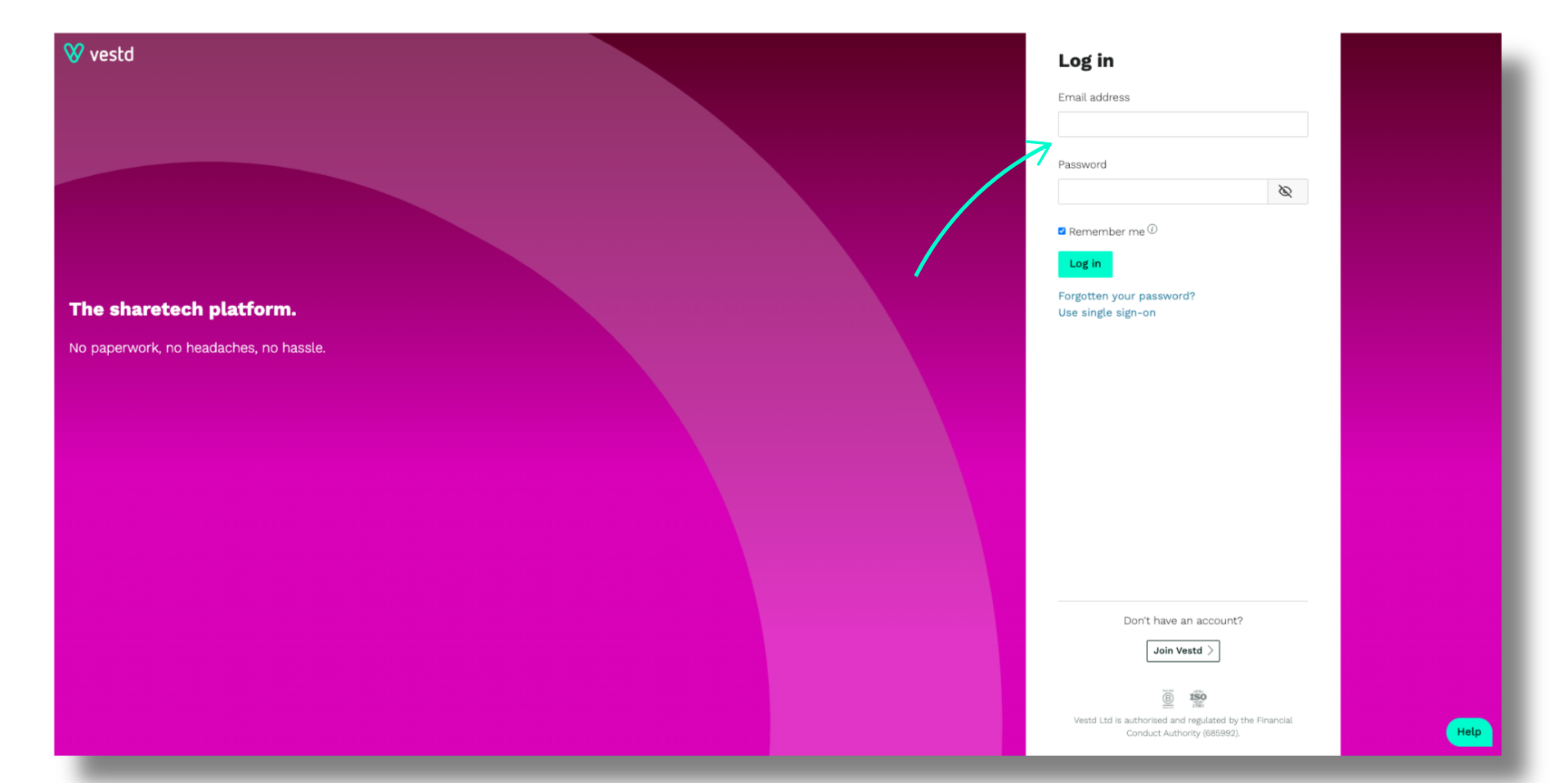
1. Log in to Vestd.
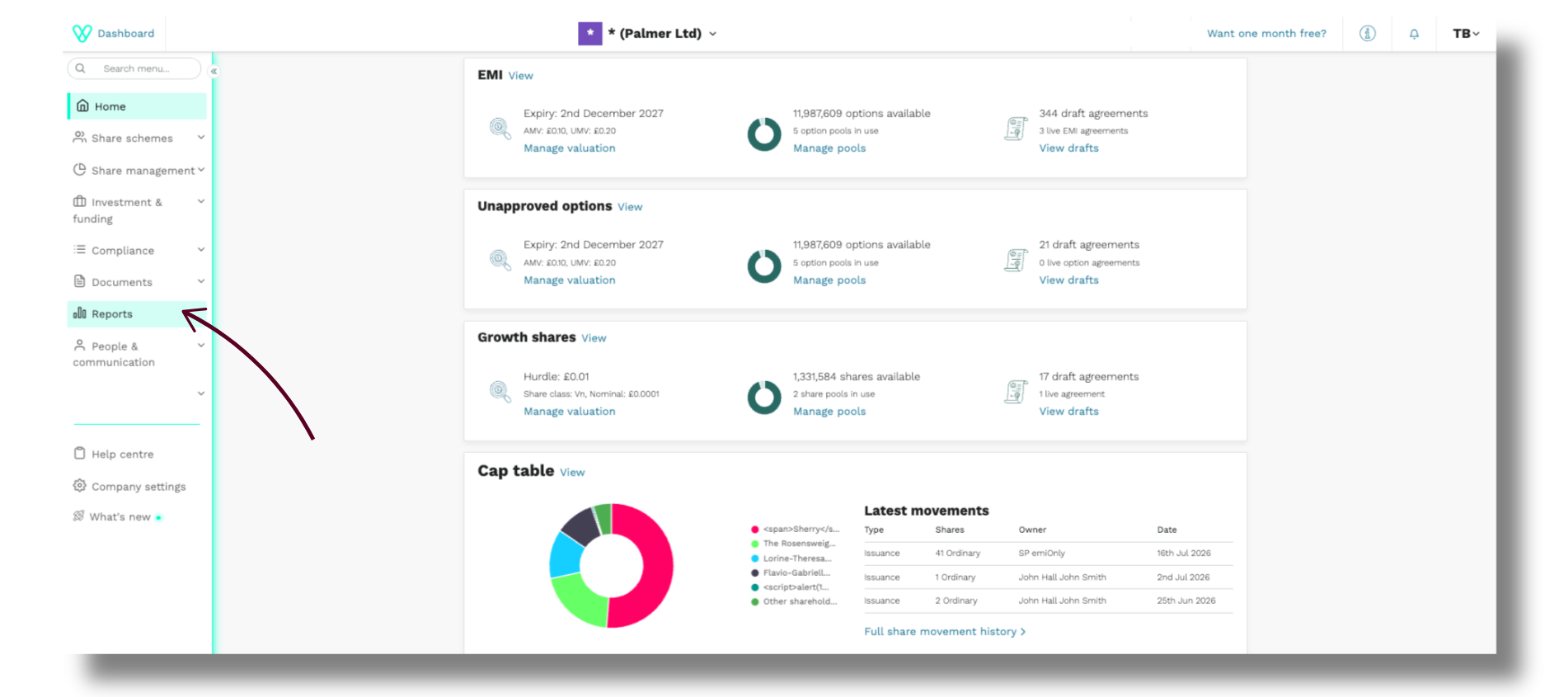
2. In the left-hand navigation menu, click Reports.
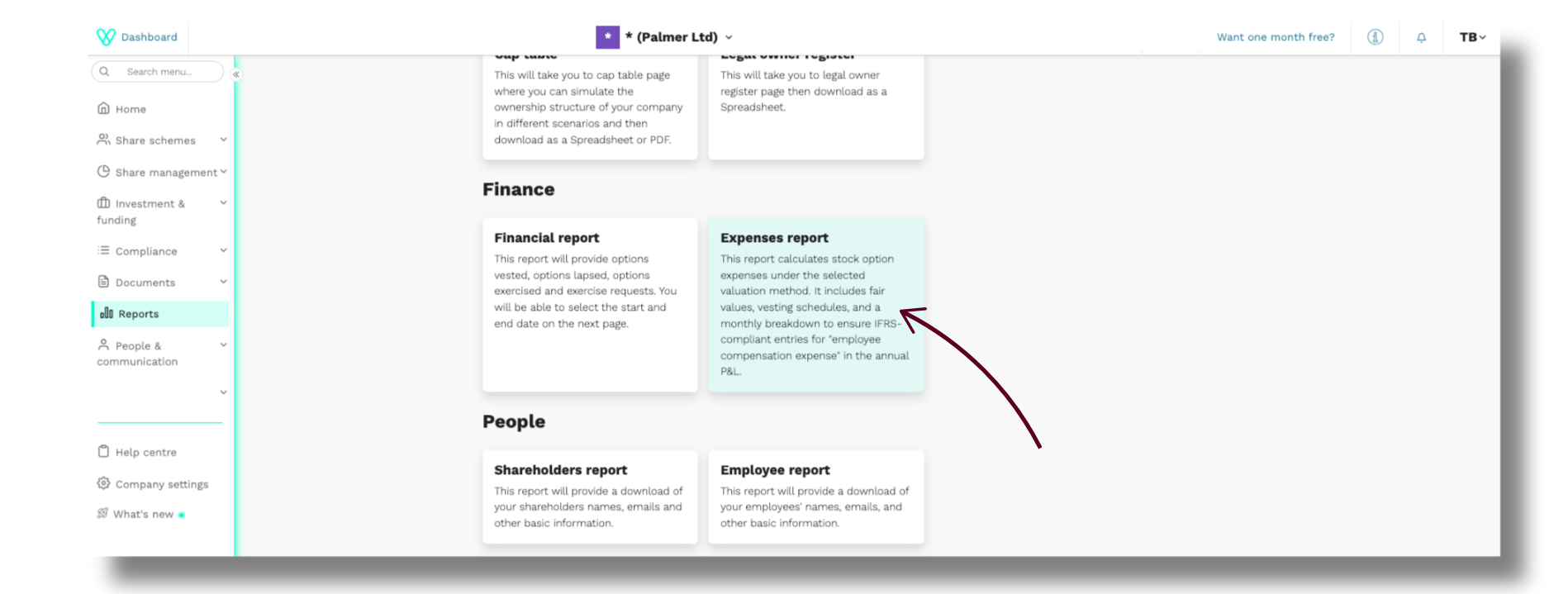
3. Scroll to the Finance section and click Expenses.
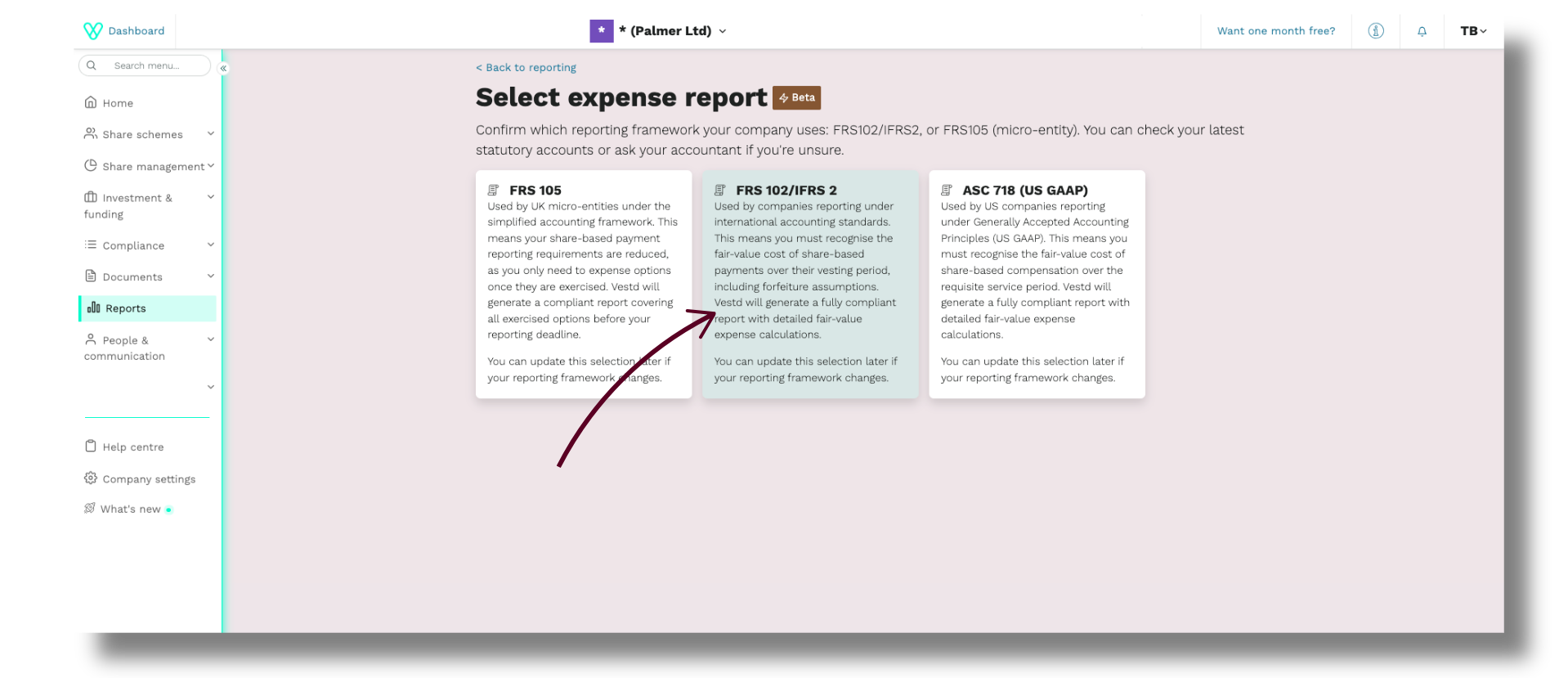
4. Click FRS 102/IFRS 2.
You will arrive at the report page.
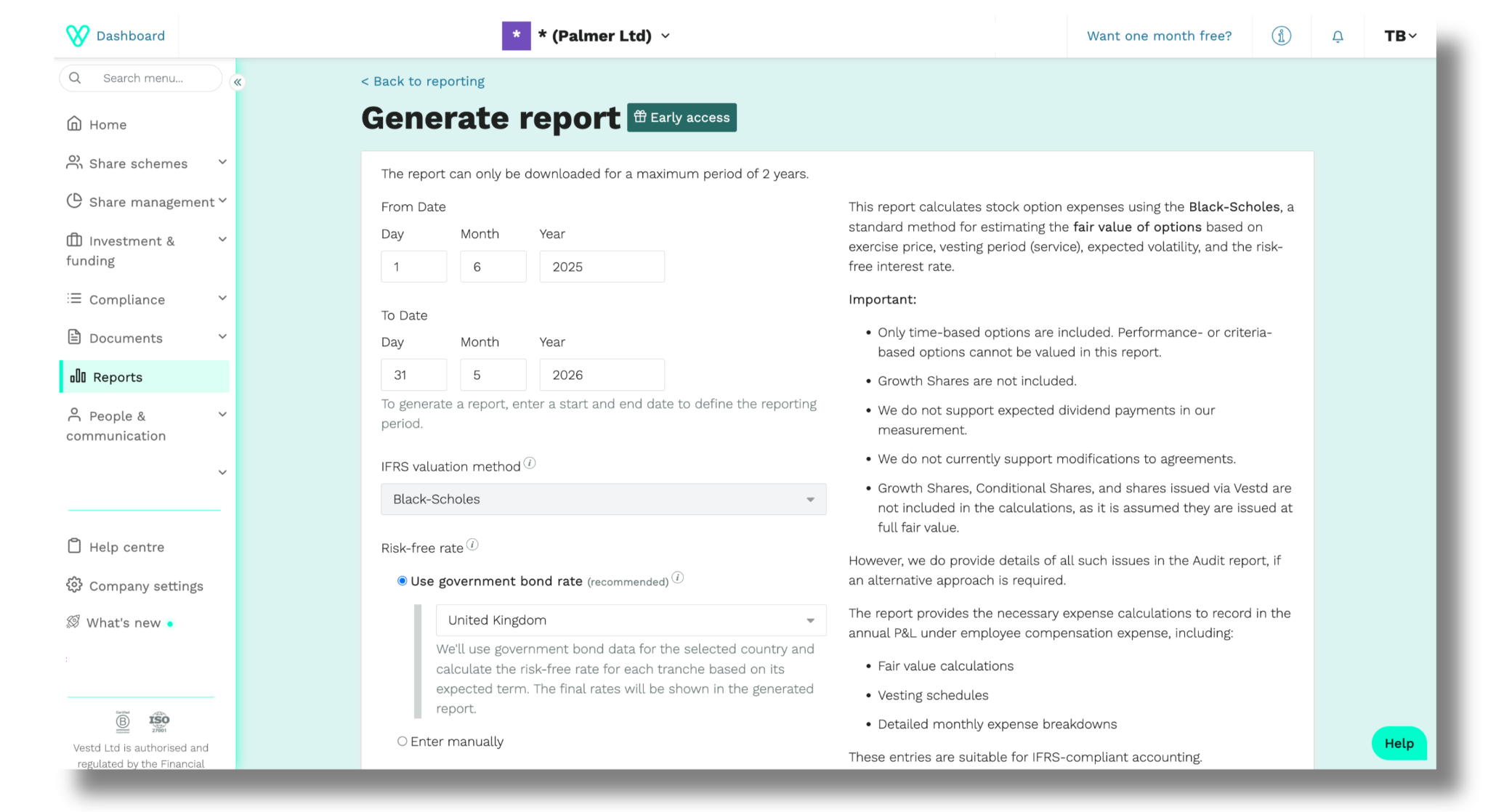
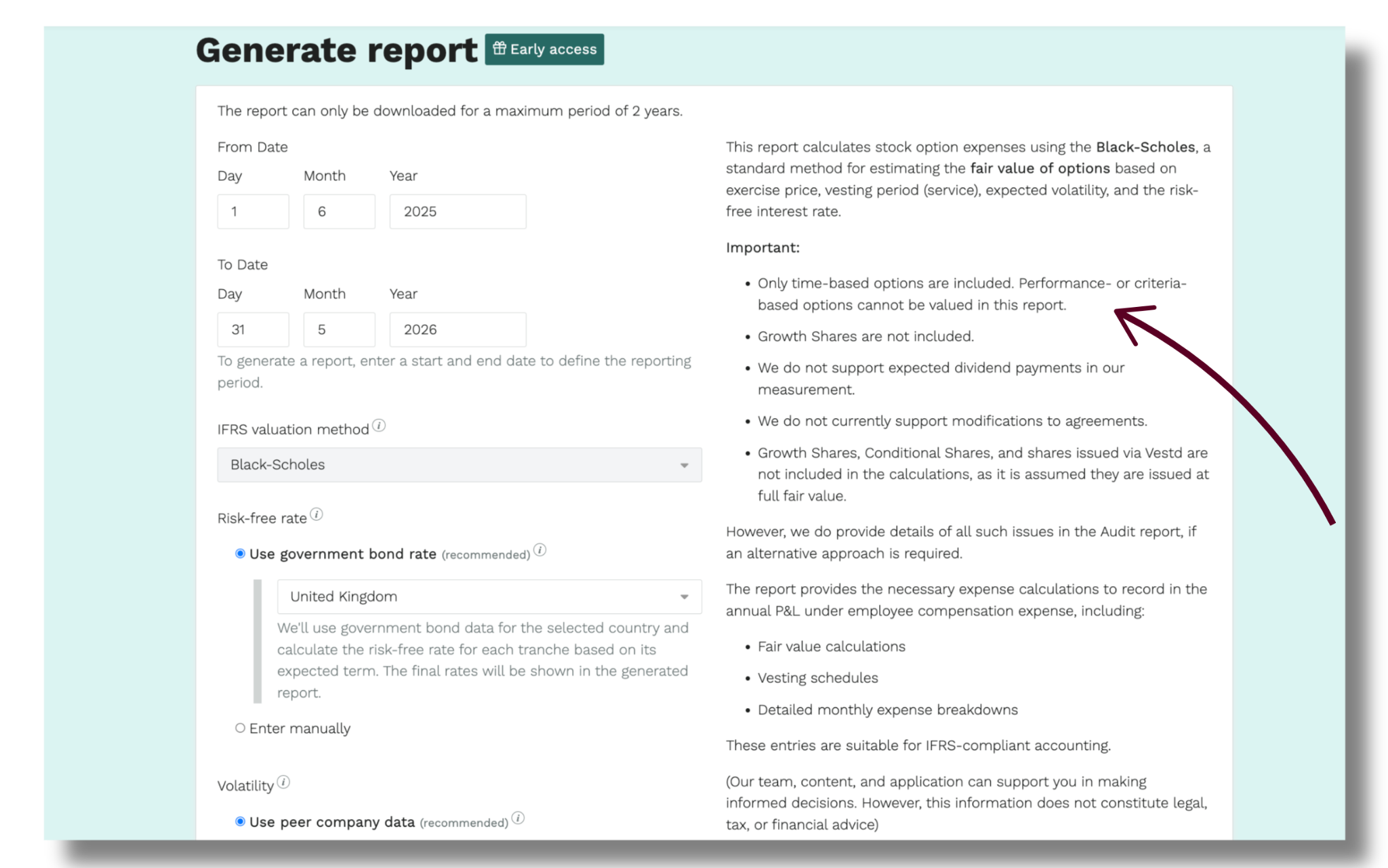
The panel on the right explains how the expense is calculated and what the report does and does not include, and is worth reading before you generate anything.
You will complete the fields on the left.
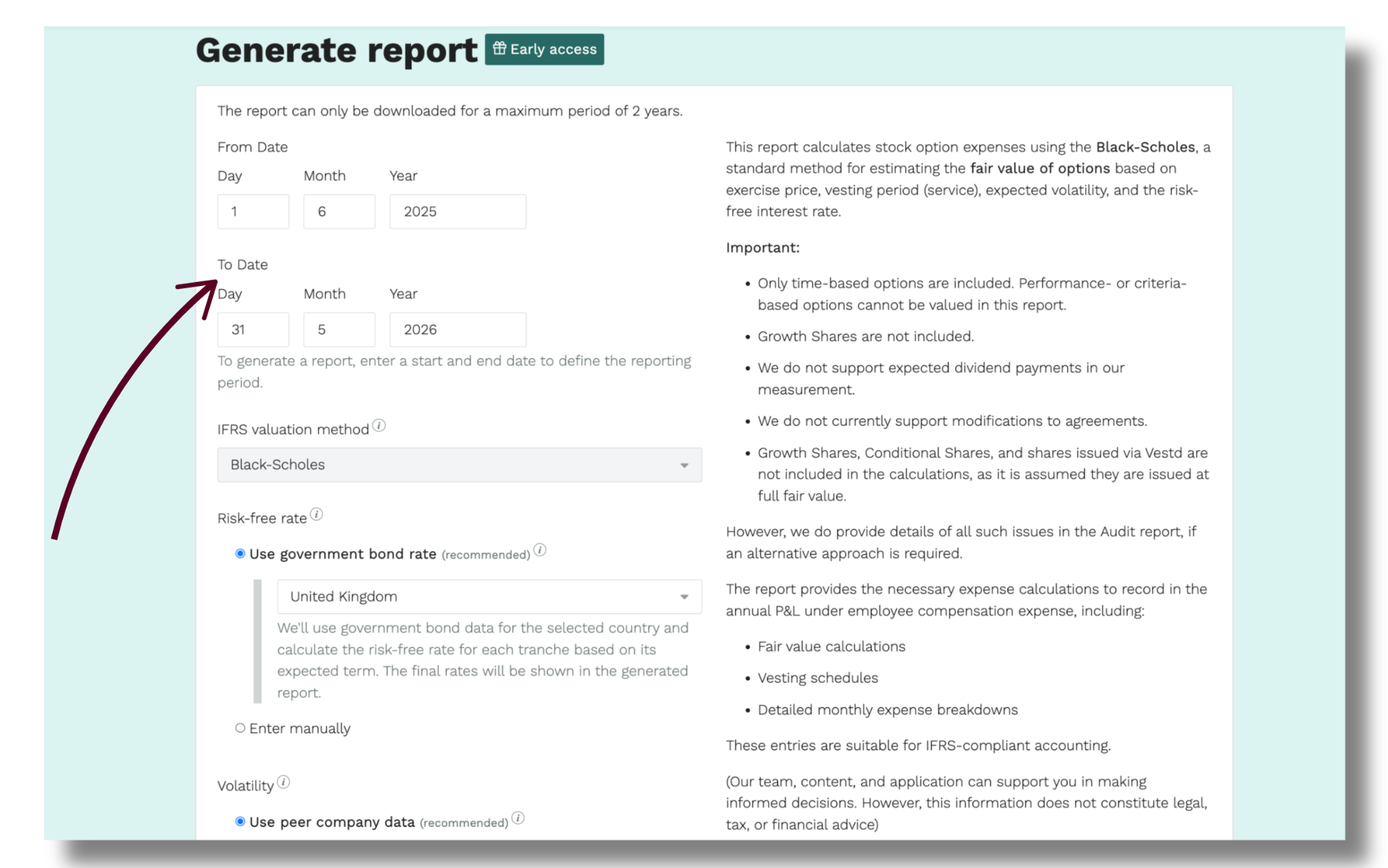
Generate the report
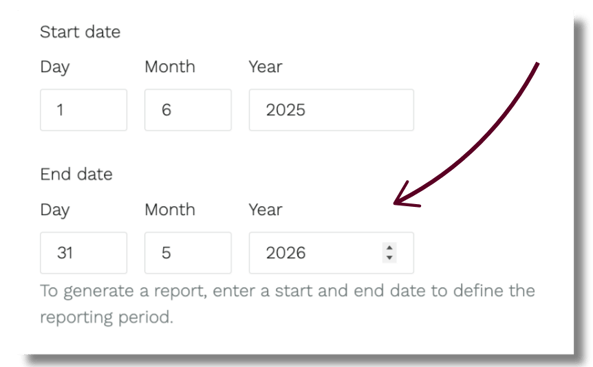
Step 1. Set your reporting period
Enter the Start date and End date of the period you are reporting on. This is usually your financial year.
Step 2. Choose a valuation method
If you are a UK company, Black-Scholes is the only option available.

If you are a non-UK company, you can select either Black-Scholes or Intrinsic Value. See more information on valuation methods.
Step 3. Set the risk-free rate
Click Use government bond rate, then select the country whose rate you want to apply. You can choose India, the United Kingdom or the United States.
To apply a different figure, click Enter manually and enter your own rate. See more information on risk-free rate.
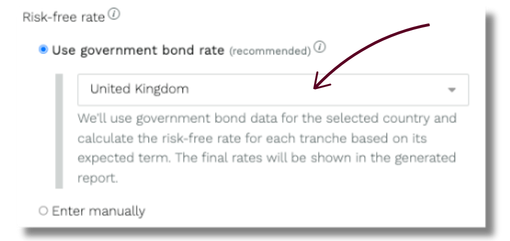
Step 4. Set volatility
Private company shares are not publicly traded, so volatility is usually estimated from comparable listed companies. See here for more information on volatility.
1. Click Use peer company data, then + Add peer company.
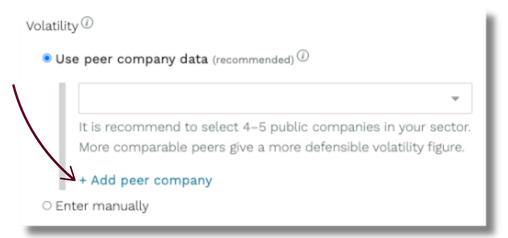
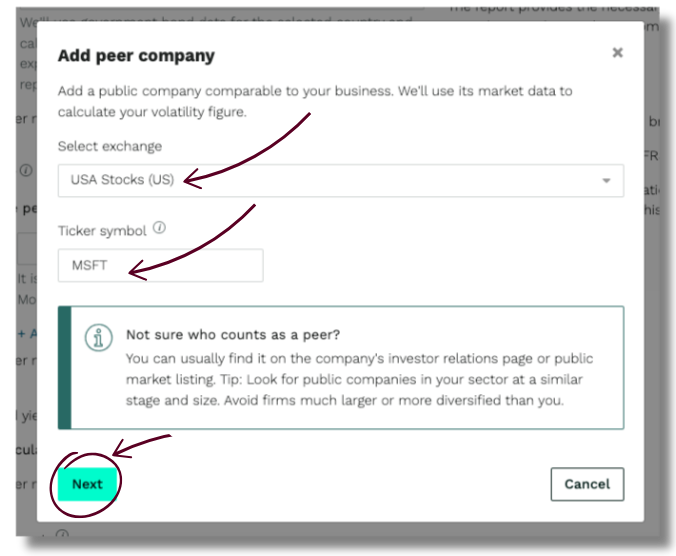
2. In the pop-up, select an exchange from the dropdown or start typing to search for it, then enter the ticker symbol for the company. Then click Next.
3. A pop-up will appear asking if we have found the right company. If yes, click Add peer company. Alternatively, click Cancel.
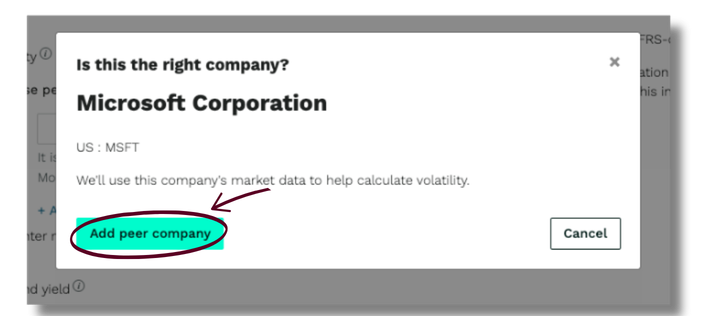
4. Once added, you will see the peer company appear in the peer company data field.
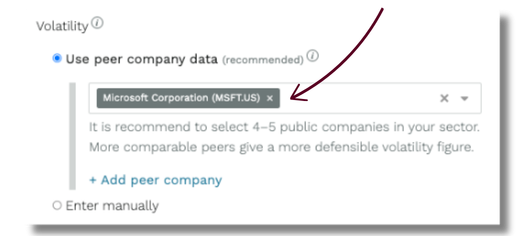
5. Repeat for each peer company you want to add.
We recommend four to five listed companies in your sector. You can add up to ten. The closer your peers are to your own business, the easier your volatility figure is to defend.
If you already have a volatility rate you want to apply, click Enter manually instead.
Step 5. Set the dividend yield
Click Calculate automatically to let us derive the figure, or Enter manually to enter your own rate. See here for more information on dividend yield.
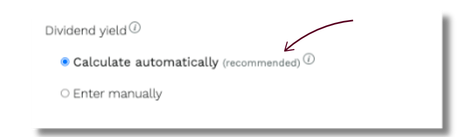
Step 6. Set the forfeiture assumption
Click No forfeiture assumption, or Enter manually to apply your own rate. See more information on forfeiture assumption.
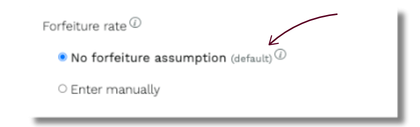
Step 7. Choose which employees to include
Select Active employees only, which we recommend, or All employees, including leavers.
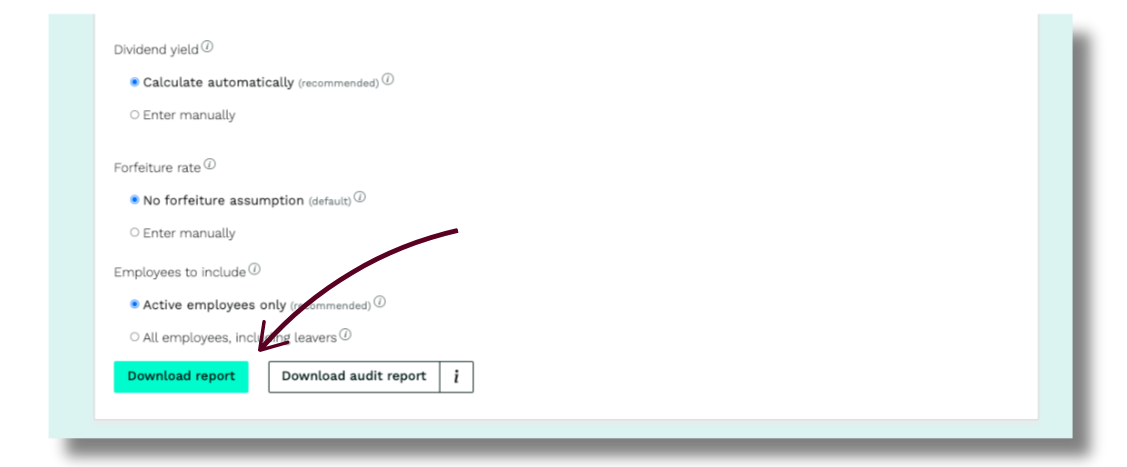
Download your reportReview the information you have entered, then select one of two downloads.
• Click Download report for the standard IFRS 2 report.
• Click Download audit report for the same report with additional share and miscellaneous information included. This is the version to use if your auditor needs the detail behind the figures.
Need support?
If you are unsure which assumptions to apply, your accountant or auditor will usually have a view. For anything relating to generating the report itself, please contact support@vestd.com.
Our team, content and app can help you make informed decisions. However, any guidance and support should not be considered as 'legal, tax or financial advice.'