
You can resign a director directly on Vestd, and we’ll handle the Companies House filing for you.
Contents📋:
Go to Directors' page
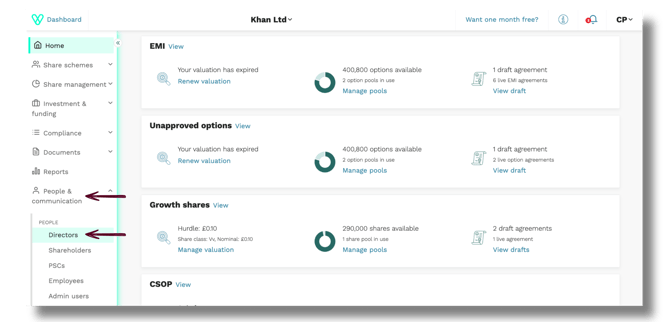
1. From the left‑hand navigation, select People & Communication → Directors.
Open the director’s record
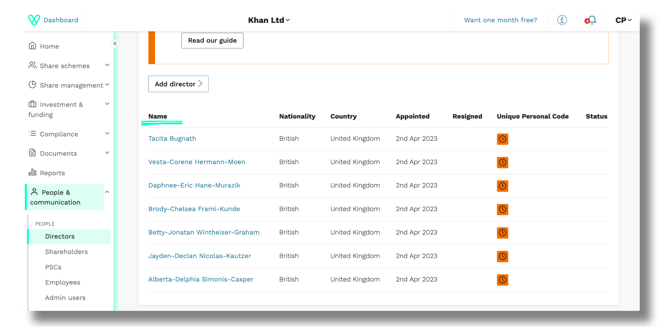
2. You’ll land on your Directors' page. Click the director you want to resign from the list of names.
Start the resignation process
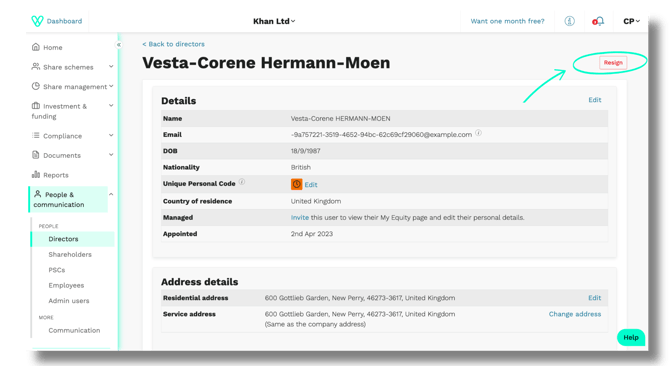
3. On the director’s record, click the red Resign button in the top‑right corner.
Final details
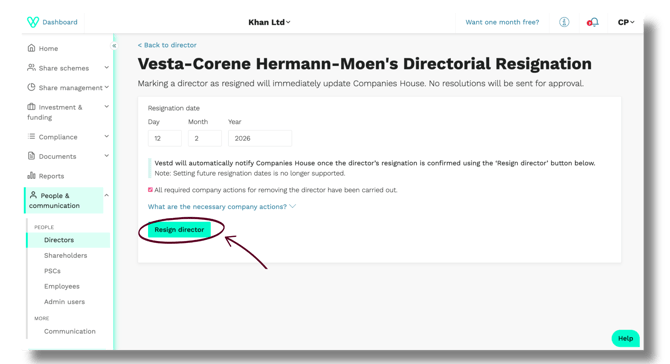
4. Enter the resignation date.
Note: Future‑dated resignations are not supported.
Before proceeding, tick All required company actions for removing the director have been carried out.
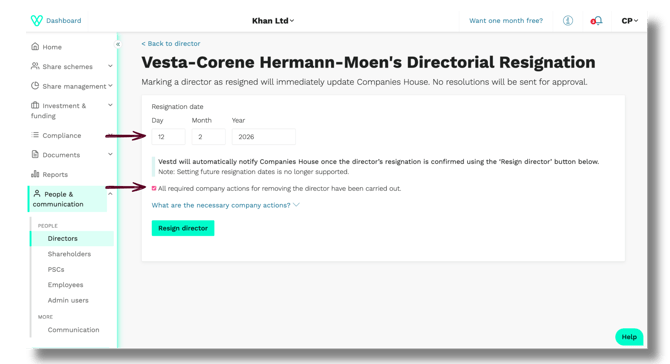
If you need clarity, open the What are the necessary company actions? Dropdown.
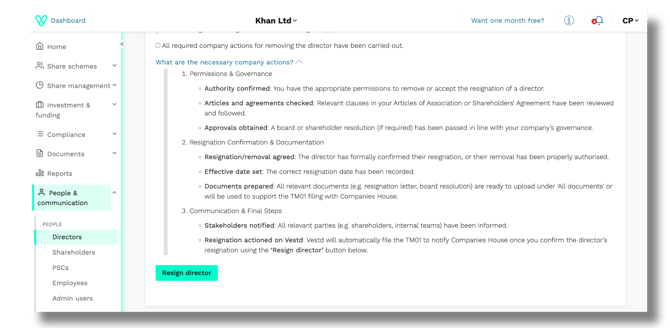
5. When ready, click Resign director.
Confirm the resignation
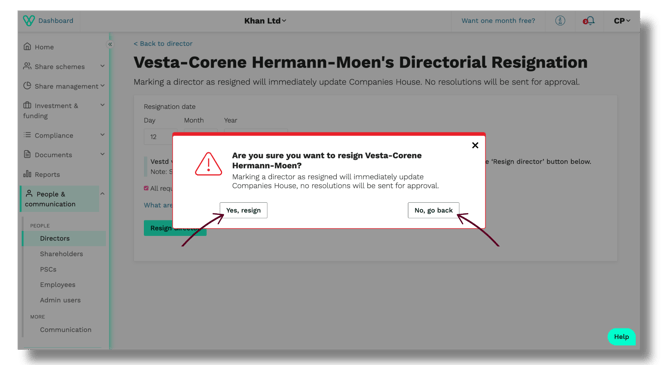
6. You’ll see a confirmation message.
Click Yes, resign to proceed, or No, go back if you need to review.
Vestd will immediately update Companies House (TM01) once the resignation is confirmed.
Resignation complete
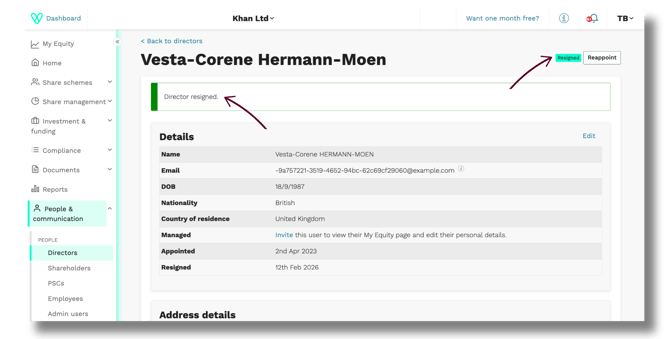
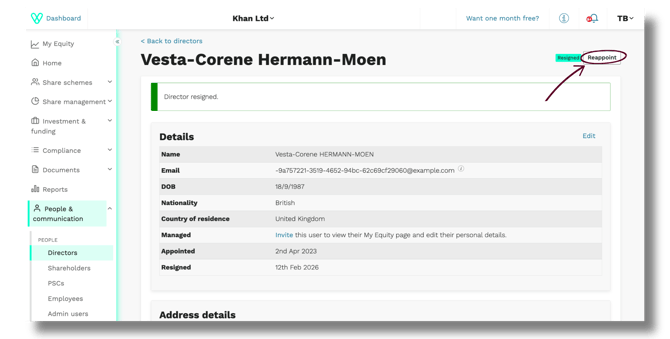
7. A green banner will confirm Director resigned, and the director’s status will update accordingly.
Reappointing a director (if needed)
1. If you ever need to reappoint the director, click Reappoint.
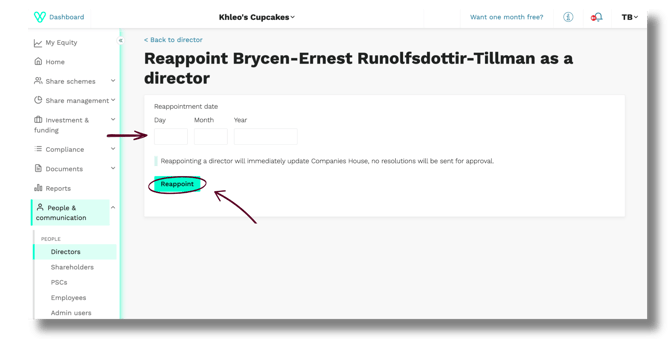
Enter the appointment date and select Appoint.
2. Reappointments also update Companies House immediately.
Need support?
If you have any questions, our dedicated Customer Success team is here to help: support@vestd.com
Not onboard yet? Hop on a call.