
This guide provides instructions for managing payments, billing information, and invoices for your Vestd account. Learn how to configure payment methods, update billing details, access invoice history, and modify your subscription plan.
Contents📋
- Payment methods
- Direct Debit
- Credit/Debit card
- Add secondary payment method - Failed payments
- Billing information
- Update billing address
- Change billing date - Invoices
- Update invoice recipient
- View invoice history - Plan changes
- Need support?
Payment methods
Vestd accepts two payment methods for subscription billing: Direct debit or Credit/Debit card.
Direct Debit
Direct Debit offers the following advantages:
- Fully automated monthly payments
- Protected by the Direct Debit Guarantee
- No requirement to update payment credentials
- Cancellable at any time
To set up Direct Debit:
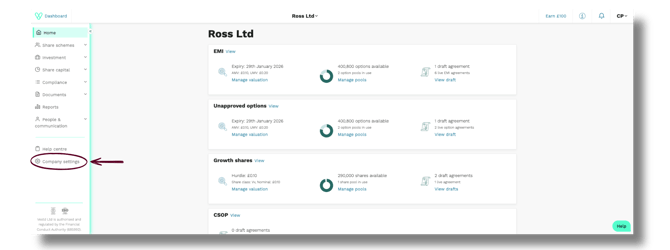
1. Navigate to Company Settings from the side menu
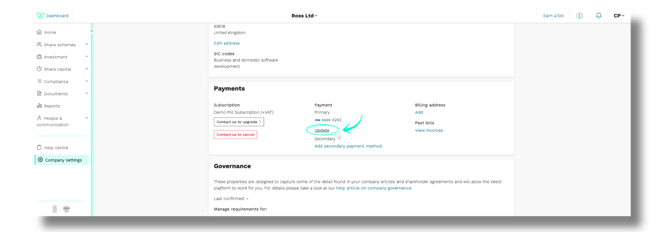
2. In the Payments section, click Update
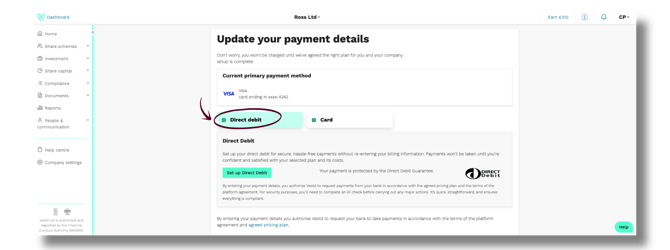
3. On the Update your payment details' page, click Direct Debit
5. Click Set up Direct Debit
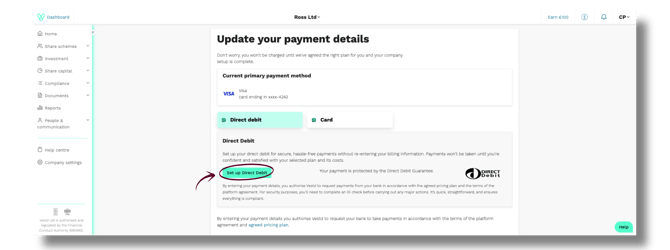
6. You'll redirected to a secure Stripe (our payment processor) page. Complete the form to complete the Direct Debit mandate.
Credit or Debit Card
1. On the payment options screen, select Card.
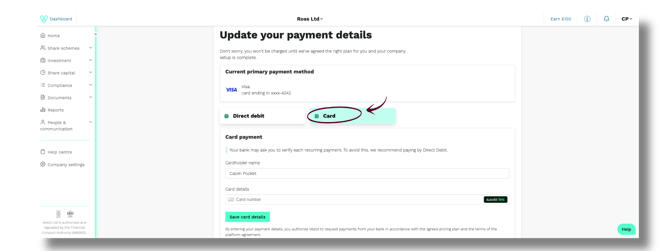
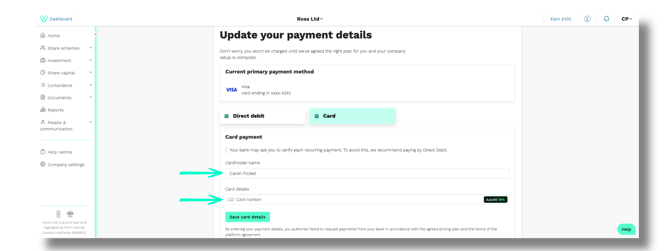
2. Enter the Cardholder's name and Card number into the required fields.
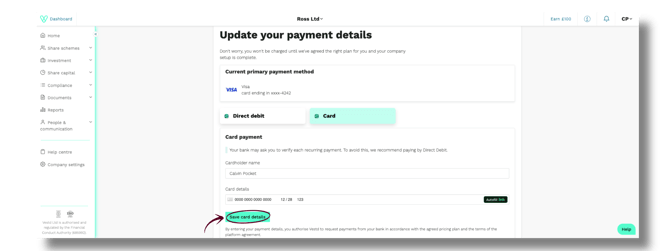
3. Click Save card details
Important💡: Card payments may require bank authorisation for each transaction. You must update your card details when your card expires.
Add secondary payment method
A secondary payment method acts as a backup if your primary card ever fails.
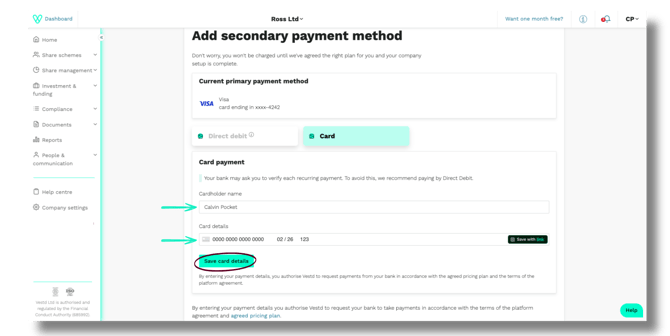
- On your Company Settings page, go to the Payments section. Under Secondary, click Add secondary payment method.
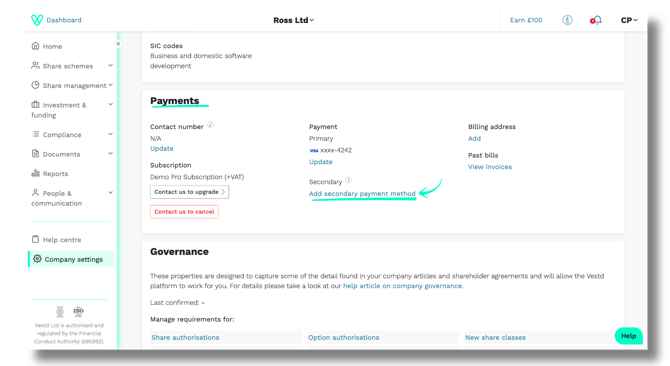
- On the Add secondary payment method page, enter the cardholder’s full name (as it appears on the card) and the card details, then click Save card details.
Failed payments
If a payment fails, you can retry it following the below instructions:
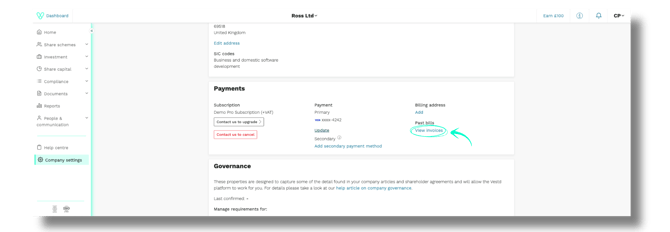
1. In the Payments section of your Company Settings page, under Past bills, click View invoices.
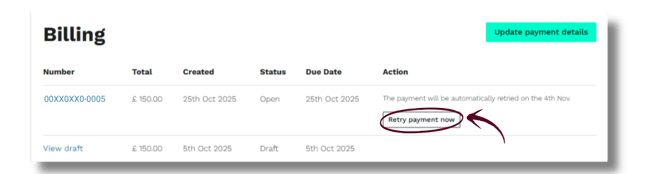
2. Locate the correct invoice. Invoices with a failed payment will display a Retry payment now button, along with the date of the next automatic attempt. Click Retry payment now to retry the payment immediately.
Billing information
Update billing address
To change the billing address associated with your account, follow these simple steps:
1. In the Payments section, under Registered address, click Edit address.
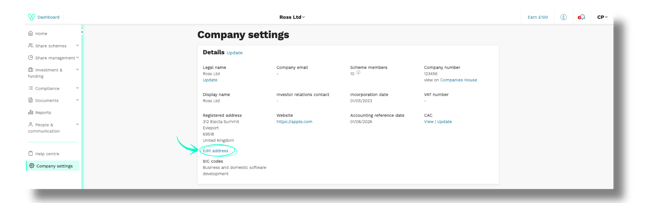
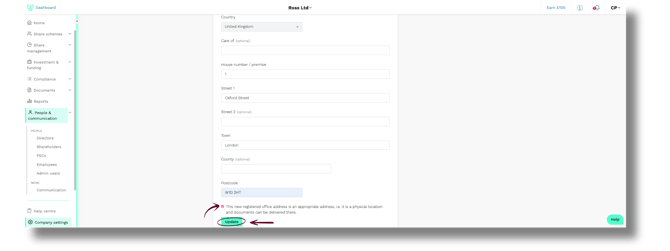
2. Enter the new address details in the appropriate fields, then tick the checkbox to confirm that the address is a physical location. When you’ve completed the form, click Update to save the changes.
Tip💡: If you’d like invoices to be issued under another name, you can add a “Care of” recipient.
Change billing date
To change your monthly billing date, email our payments team at payments@vestd.com. Your request will be processed, and pro‑rata billing will be applied during the transition period.
Invoices
Update invoice recipient
By default, invoices are sent to the email address of the account administrator who set up your company profile on Vestd.
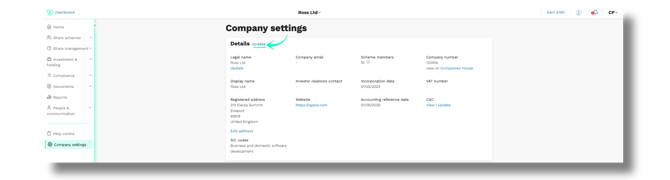
1. To add or update invoice recipients, go to the Payments section of your Company Settings. Next to Details, click Update.
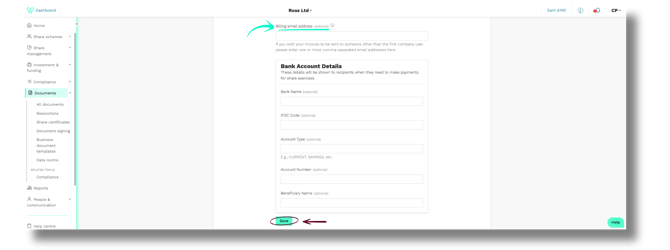
2. Scroll down to Billing email address, enter the required email address and the click Save.
View Invoice history
To access past invoices, go to the Payments section of your Company Settings page. Under Past bills, click View invoices.
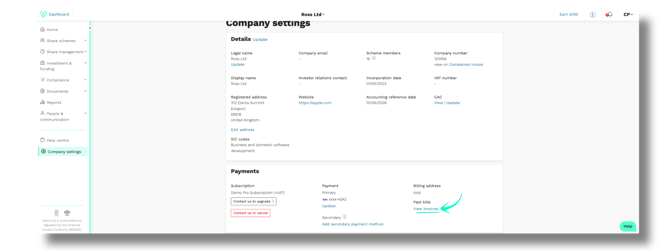
You'll be redirected to your Billing page, where all historical invoices will be displayed.

Plan changes
If you need to modify your subscription plan, whether to accommodate business growth, adjust features, or optimise costs, our team can assist you in selecting the appropriate plan for your requirements.
To discuss plan changes, contact support@vestd.com. Our team will review your needs and implement the necessary modifications.